Hands-on practice is what makes the A+ click
Reading about hardware is useful. Disassembling a laptop, crimping a cable, or tracing a network fault with a physical tool is what actually builds the muscle memory to pass the exam — and do the job.
When VMs aren't enough — what I actually bought
Most of the A+ and Network+ syllabus is reachable from VMs on a laptop you already own (see the beginner setup guide). But once you've outgrown that, a small used office PC is the most cost-effective next step — a dedicated, always-on Windows machine you can RDP into from anywhere on the LAN, break and rebuild without affecting your daily driver, and join to the AD domain your laptop VMs are hosting. Mine is a Dell OptiPlex Micro picked up used — quiet, low-power, and just sits on a shelf.
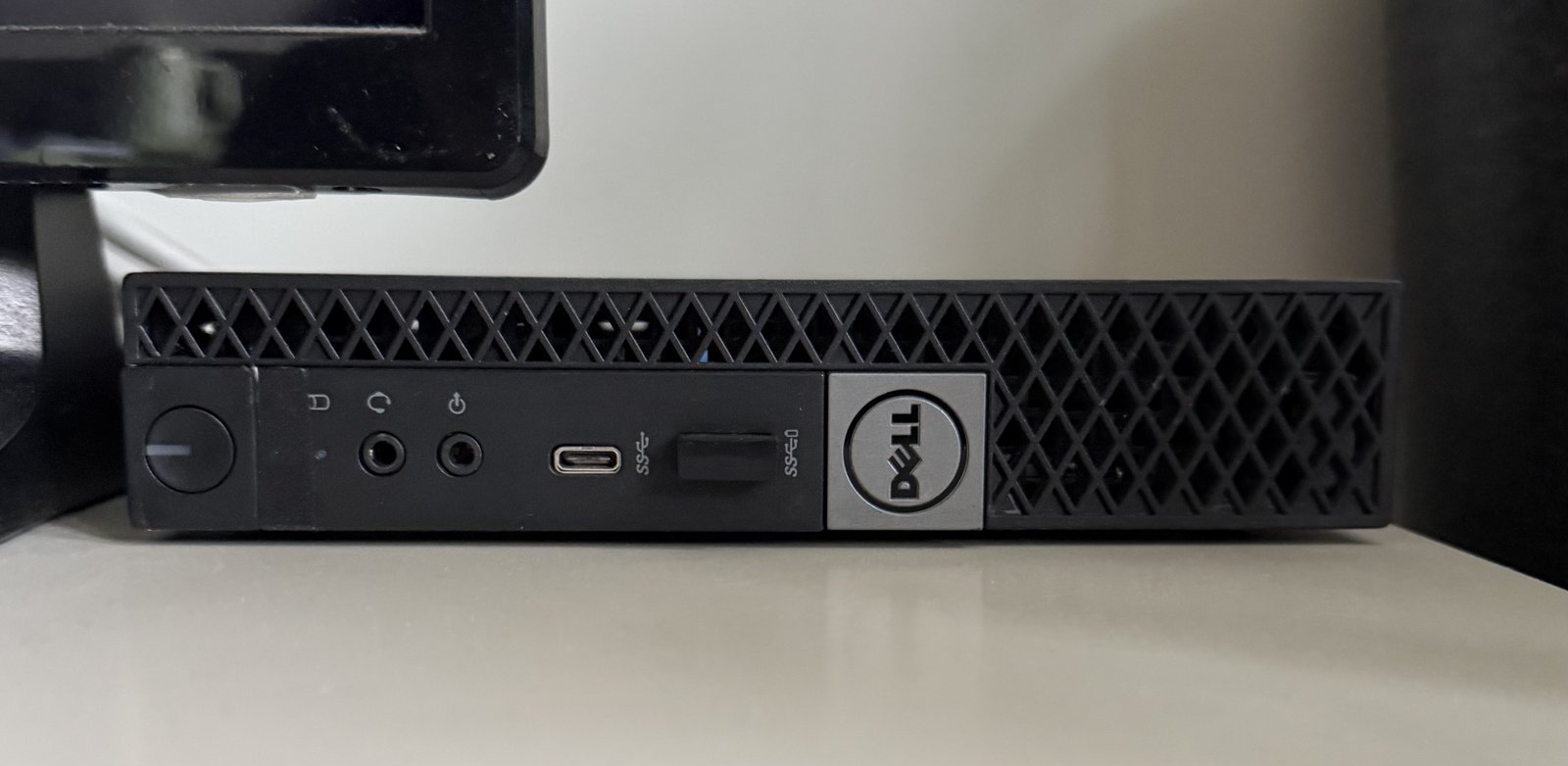
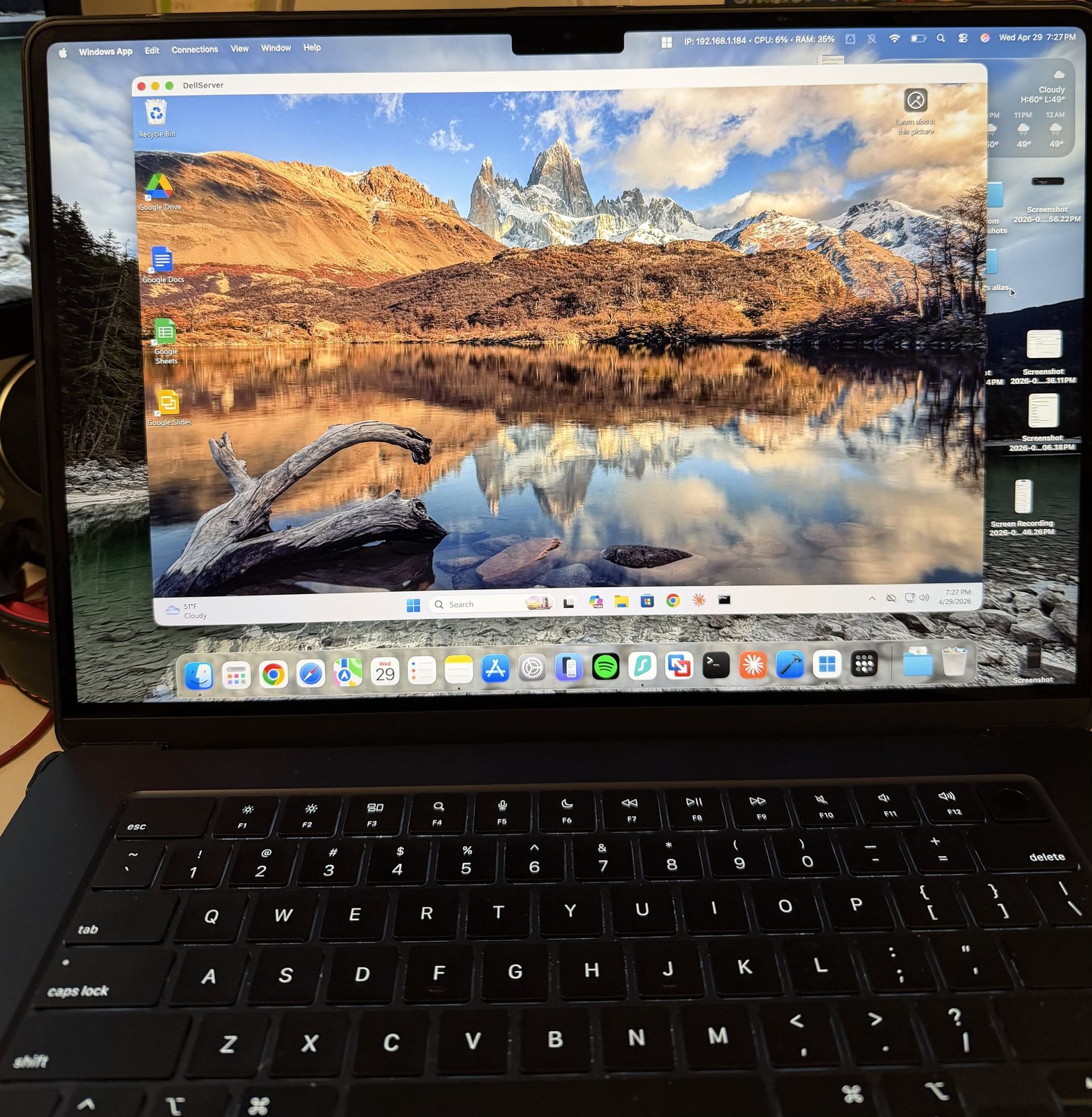
The Dell runs Windows 11 directly as its only OS — no VMs on this box. Its job in the lab is to be the always-on Windows machine I can RDP into from any other device on the network. That gives me a stable testbed for installing software, breaking and reverting Windows configurations, and practicing real remote-management workflows without affecting my daily-driver MacBook.
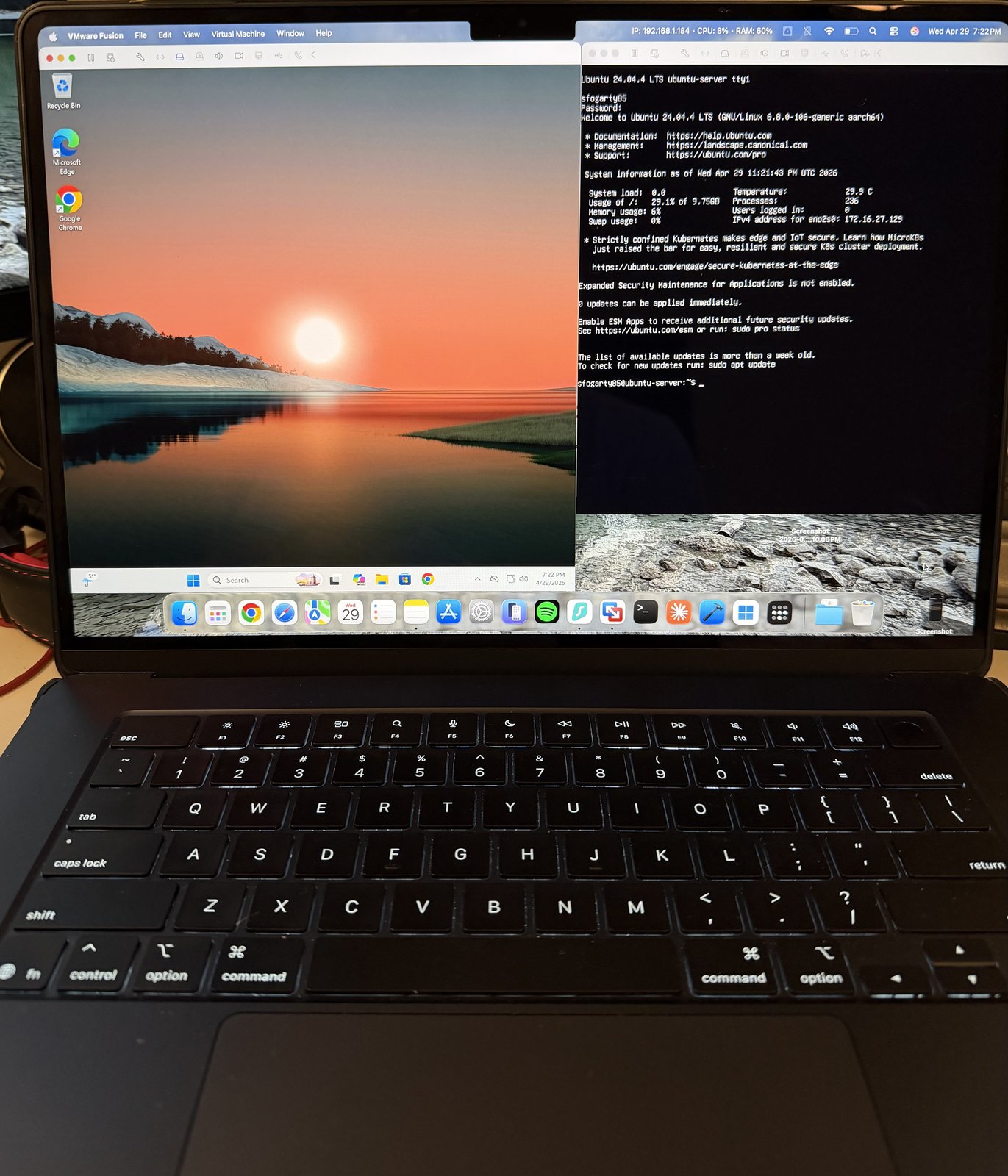
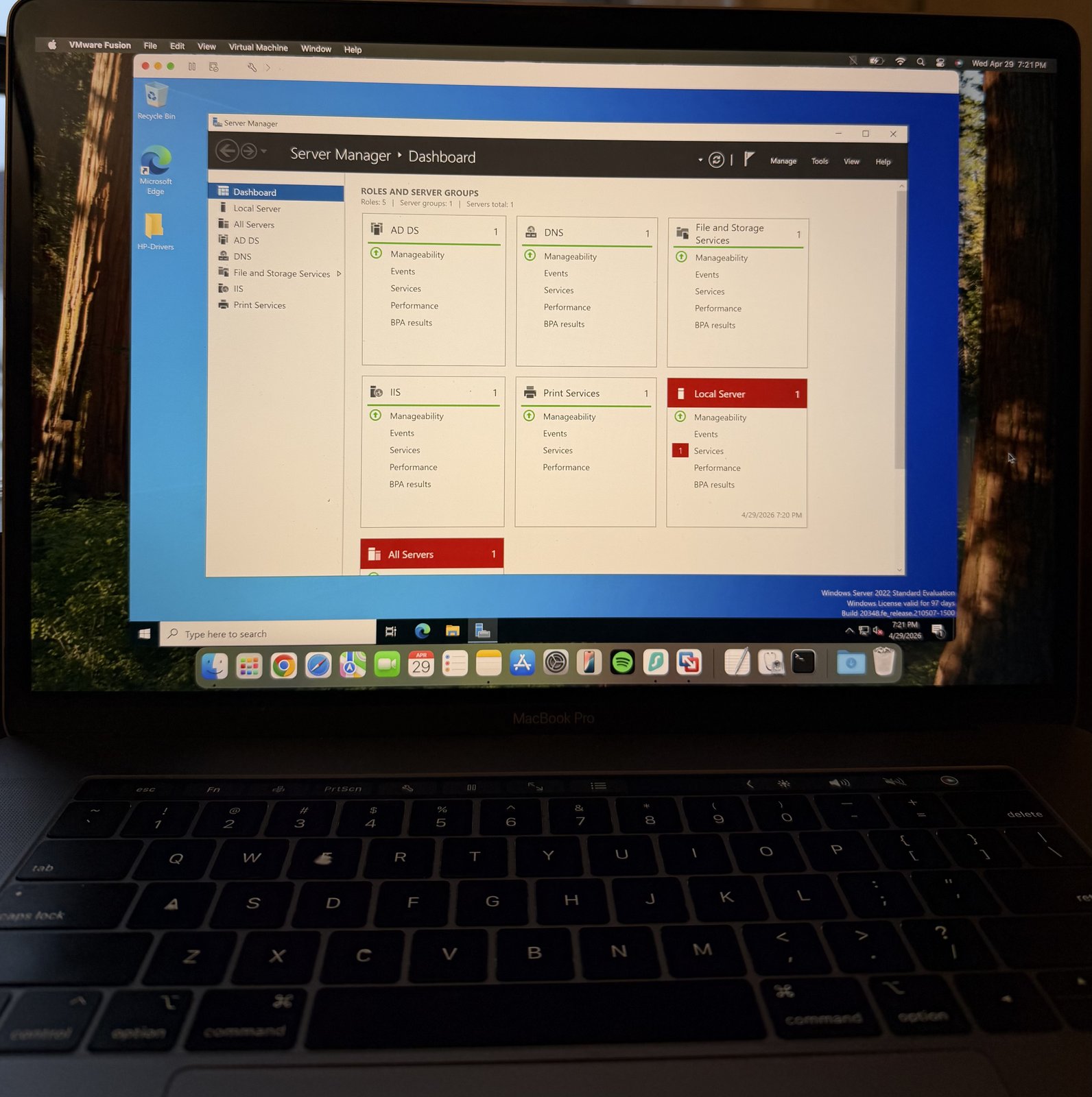
The Server 2022, Windows 11, and Ubuntu Server VMs all live on two MacBooks. One MacBook runs Windows 11 and Ubuntu Server side-by-side in VMware Fusion (so I can practice Windows client work and Linux command-line in the same session). A second MacBook runs Windows Server 2022 with AD DS, DNS, IIS, File and Storage Services, and Print Services roles installed. The Dell is the next step past a closed laptop — a low-cost, low-power Windows machine that stays available even when both MacBooks are shut.
What the always-on box actually grew into
The Dell started life as an RDP target, a machine to break and rebuild. Over time it became something more useful: the always-on server that runs my automations. It now runs a couple of small Python agents on Windows Task Scheduler. One handles SEO and indexing chores for this site. Another pulls analytics for the iOS apps I build and emails me a weekly summary. The study lab quietly turned into low-key infrastructure I actually depend on.
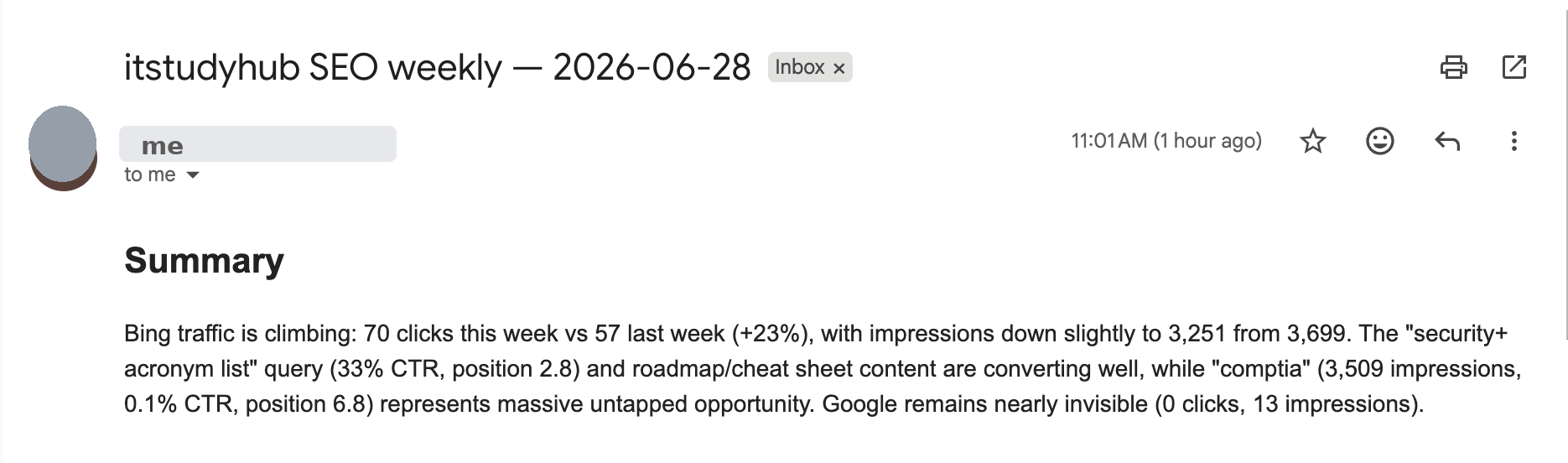
One of those agents went silent for about four weeks and I had no idea. There was no crash and no error. The weekly emails simply stopped arriving, and because I was not looking for their absence, I did not notice for a month. Silent failure of a scheduled job is its own particular kind of dread once you realize how long it has been dead.
The tell was the timing. The last successful run was almost exactly seven days after the last time I had manually re-authorized the agent in a browser. Google expires OAuth refresh tokens after seven days for any app whose consent screen is still in "Testing" status. A scheduled task cannot open a browser to re-authorize itself, so the moment the cached token aged out, every run failed quietly. Running the script by hand and getting an invalid_grant error on the token refresh confirmed it.
The fix had three parts. Publish the OAuth consent screen from "Testing" to "In production," which stops the refresh tokens from expiring for a personal app used only by me. Delete the stale cached token. Then re-run the script once interactively to mint a fresh one. It has held ever since.
The real lesson was that it failed silently. So I added a preflight auth check that runs before the actual work. If the credentials are dead, it sends me an alert email and exits cleanly instead of pretending everything is fine. I tested it by deliberately renaming the token file, confirming the alert landed, then restoring it. Now a dead token tells me, instead of just disappearing.
If you are building automations on a home lab box, the takeaway is simple. Assume scheduled jobs will fail eventually, and make them tell you when they do. A failure you find out about is an inconvenience. A failure you do not is a four-week gap.
iFixit Pro Tech Toolkit
The industry standard for IT technicians. Every bit you'll ever need for laptops, desktops, and servers — plus the ESD wrist strap that protects expensive hardware. Built to last a career.
STREBITO 142-Piece Set
If you're just getting started and want maximum bit variety without the premium price, this is the pick. Highest bit count for the money — great for hobbyists building their first PC or tackling basic repairs.
Klein Tools Scout Pro 3
Instantly maps and tests all 8 wires (4 pairs) in Ethernet cables. If you're wiring a home lab rack or troubleshooting a bad patch cable, this tool finds the fault in seconds — without guessing.
TP-Link TL-SG108E
An 8-port managed switch gives you hands-on VLAN, QoS, and port mirroring practice — directly relevant to Network+ objectives. More useful for learning than an unmanaged switch at a similar price.
Monoprice Cat6 Patch Cables (10-pack)
Every home lab needs a bundle of ready-made patch cables for connecting switches, routers, and test machines. Monoprice is the trusted budget brand — solid build quality at a fraction of name-brand prices.
Platinum Tools EZ-RJ45 Crimp Kit
Making your own patch cables is a real A+ exam topic — T568A and T568B wiring standards are tested directly. This kit lets you practice the full crimp process from scratch, pairing perfectly with the Klein tester above.
Velcro One-Wrap Cable Ties (100-pack)
A messy lab is a slow lab. Cable ties keep your runs organized and easy to trace — which matters when you're troubleshooting a fault. Reusable and repositionable, unlike zip ties.
iFixit Anti-Static Mat
A single ESD discharge can silently destroy a RAM stick or SSD. This mat grounds your work surface and your tools — a non-negotiable for anyone opening a laptop or touching a motherboard.
Falcon Dust-Off (6-pack)
Dust is the number one killer of older hardware. Buying a 6-pack means you always have it on hand when cleaning fans, heatsinks, and keyboard switches. Cheap insurance against overheating failures.
CanaKit Raspberry Pi 4 Starter Kit (4GB)
A Raspberry Pi lets you run a lightweight Linux server, practice command-line administration, set up a DNS sinkhole with Pi-hole, or host a small web server — all for under $100. Directly relevant to A+, Network+, and Security+ Linux objectives. The CanaKit bundle includes everything you need to get started: Pi, case, power supply, and microSD.
Beelink Mini PC (Intel N100, 16GB RAM)
A mini PC with 16GB RAM can run multiple VirtualBox or VMware VMs simultaneously — a Windows Server instance, a Kali Linux attacker machine, and a pfSense firewall, all at once. This is the fastest way to build a realistic Security+ or CySA+ lab environment without repurposing a full desktop. Quiet, low-power, and compact enough to fit on a shelf.
USB WiFi Adapter (Dual-Band, AC1300)
If your lab machine doesn't have built-in wireless, a USB WiFi adapter lets you practice wireless security configurations covered in Network+ and Security+ — WPA2 vs WPA3, 2.4GHz vs 5GHz band selection, and troubleshooting wireless connectivity issues. Also useful for running monitor mode on a Kali Linux machine for wireless security labs.
Ready to start studying?
Pair your home lab with the best CompTIA A+ books and practice exams.