What is a home lab — and do you actually need one?
A home lab is just a personal environment where you can practice IT skills without breaking anything important. It can be a spare laptop, a virtual machine on your existing computer, or eventually a small rack of physical hardware. There's no minimum spec.
For CompTIA A+ students, a home lab isn't required to pass the exam — but it makes the material stick in a way that flashcards simply can't. When you've actually configured a Windows Server, created a user account, and watched a machine join a domain, those exam questions stop feeling abstract.
I'm a newcomer to IT, not an expert. I started with two MacBooks running VMs — nothing fancy. I've since added a $189 used Dell OptiPlex Micro to be the always-on Windows machine in the lab (covered separately on the home lab equipment page), but everything in this guide is what you can do before spending a single dollar. Most "home lab" articles assume you already have a pile of old enterprise hardware in a closet. This one starts from scratch.
Option 1: Start with what you have — Virtual Machines
If you have a laptop that's less than 8 years old, you can start a home lab today for free. Virtual machines (VMs) let you run a completely separate operating system inside a window on your existing computer — no extra hardware needed.
This is my actual current setup:
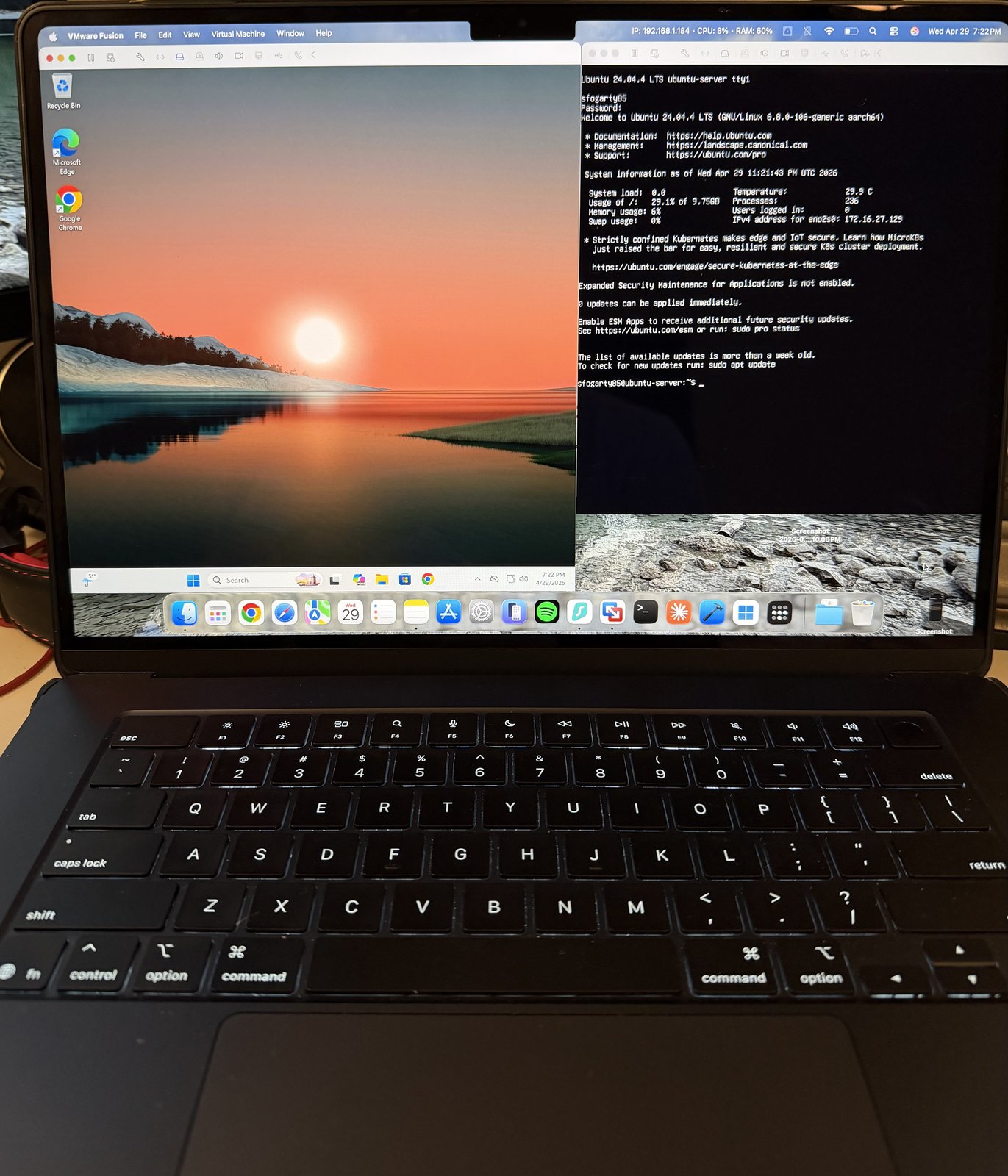
The two most popular free VM options are VMware Fusion Pro (Mac) or VMware Workstation Pro (Windows/Linux), both now free. VirtualBox is another completely free cross-platform option.
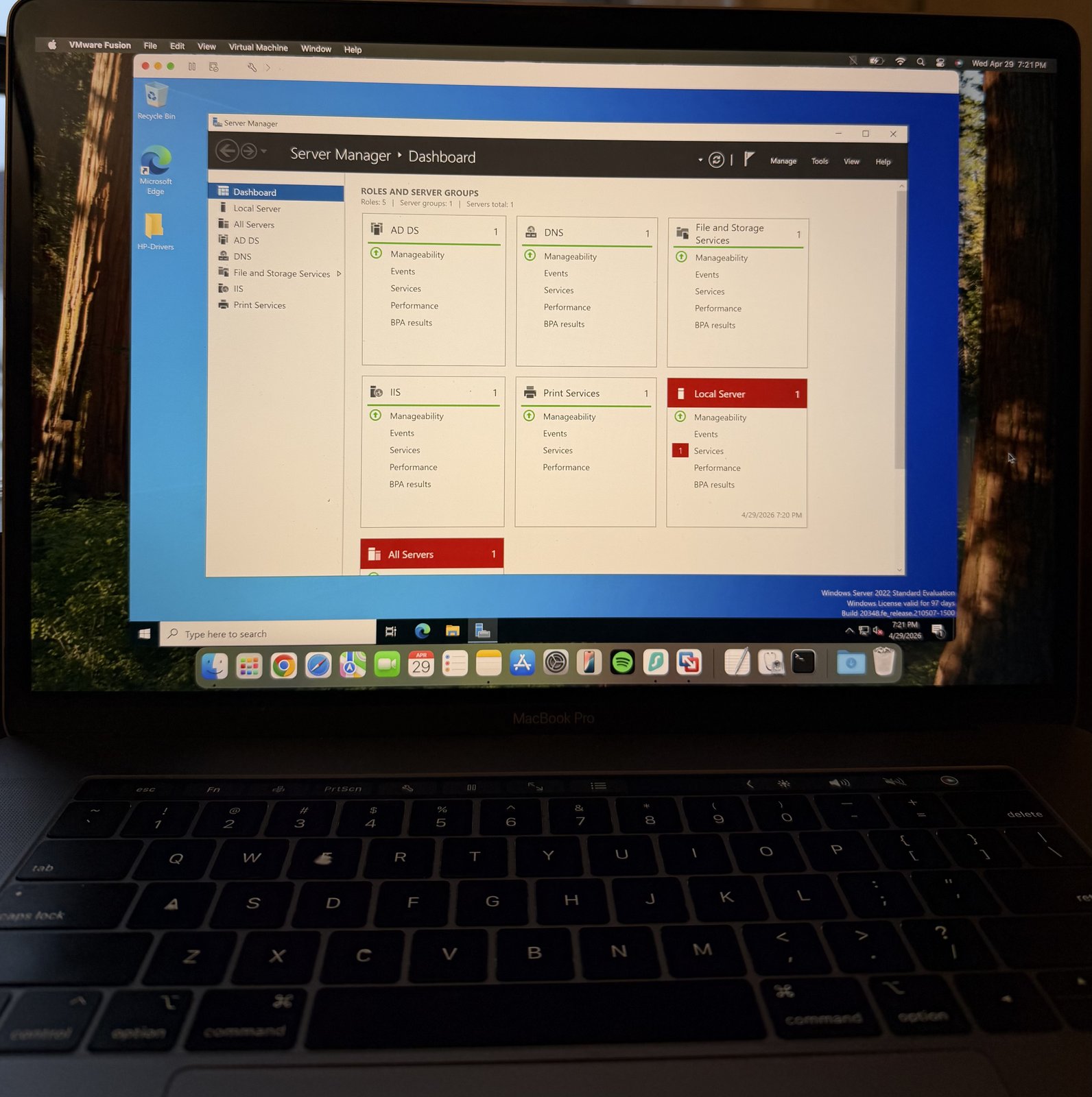
For operating systems, Microsoft offers free evaluation copies of Windows Server and Windows 11 Enterprise directly from their website — they're time-limited (usually 90–180 days) but more than enough to learn from.
This pairing directly mirrors real-world IT environments. Windows Server handles Active Directory, DHCP, and DNS — all A+ and Network+ exam topics. The Windows 11 client machine joins the domain and lets you practice user management, group policy, and network configuration from both sides.
What you can practice with just VMs
Don't underestimate how much you can learn without any physical gear. Here's what's genuinely available to you from day one:
Budget tiers — what to build toward
VMs are the starting point, but as you progress you'll want to add physical hardware for the hands-on skills VMs can't replicate — like opening a case, crimping a cable, or configuring a real switch port.
When do VMs stop being enough?
VMs are genuinely sufficient for most of the A+ exam's software and networking objectives. But there are a few areas where physical hardware is the only way to build real competence:
Hardware troubleshooting — diagnosing a bad RAM slot, replacing a thermal paste, or identifying a failing hard drive are things you can only learn by doing them with real components. No VM replicates this.
Cable work — crimping RJ45 connectors, testing cable continuity, and tracing a cable run through a building are physical skills. T568A and T568B wiring standards show up on the exam and muscle memory helps.
POST and BIOS — understanding what happens before an OS loads, how to enter BIOS settings, and how to diagnose boot failures requires a physical machine to fully experience.
The good news is that none of this requires brand-new hardware. A $40 used laptop from eBay is a perfectly good practice machine to open up and experiment on.
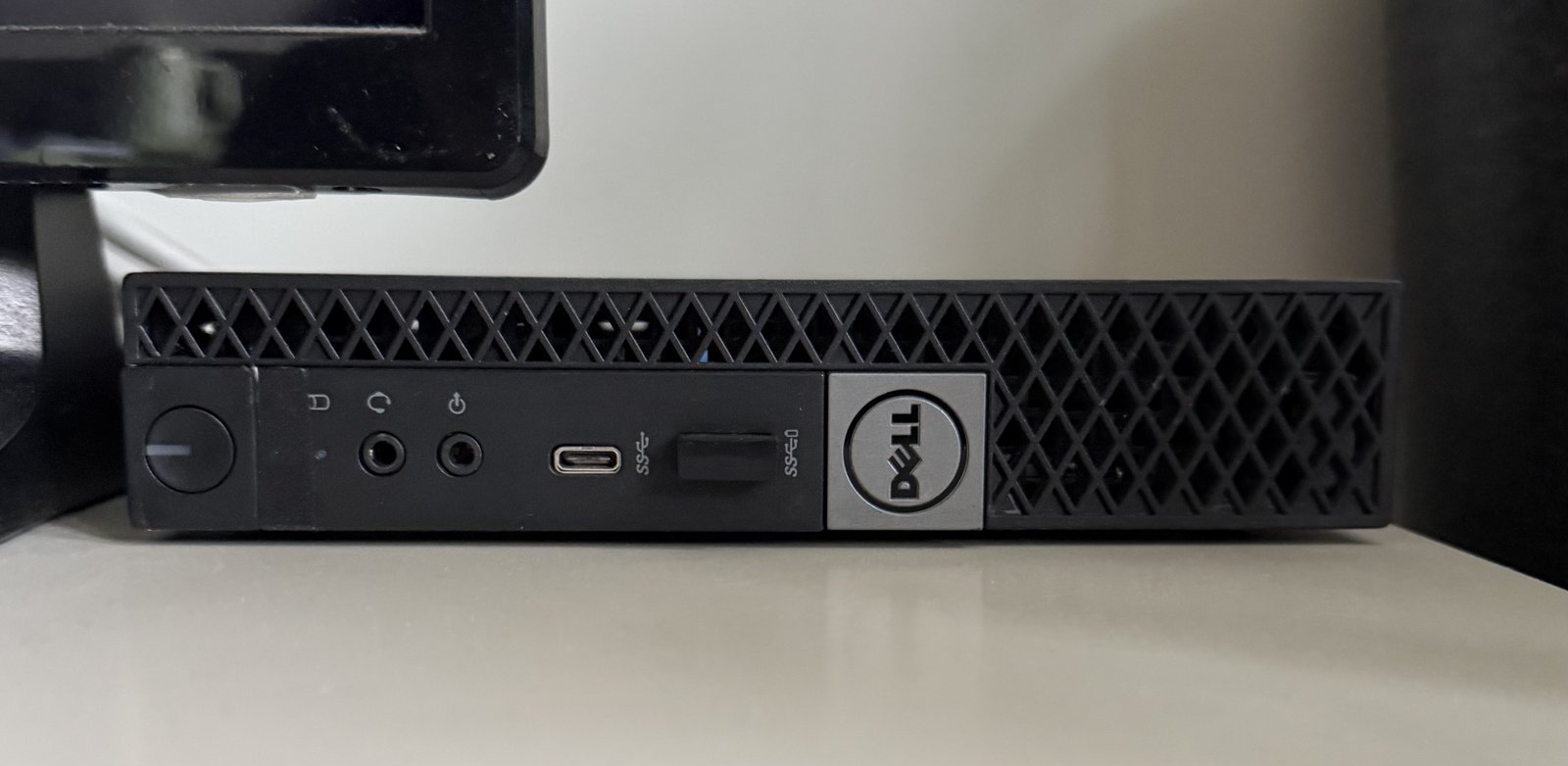
The other thing VMs can't easily do is stay on 24/7 without you keeping a laptop lid open. Once I'd done a few months of opening/closing the MacBook every time I wanted to test something, I picked up a used Dell OptiPlex Micro for $189 specifically to be the always-on Windows 11 machine in the lab — quiet, low-power, and small enough to live on a shelf. Full details on the home lab equipment page.
Related Articles
Studying for the A+ exam?
See the books and practice exams that make the most difference.